
Access Maverick County Court Docket
Maverick County court docket records are managed by the District Clerk in Eagle Pass, the county seat on the Texas-Mexico border. This office processes all district court filings for civil, criminal, and family law cases. Eagle Pass serves as the center of government for Maverick County, and the courthouse is where all court business takes place. If you need to look up a case, review a docket entry, or request copies of filed documents, this page covers the methods and contacts available to you. Online access is limited, but there are still reliable ways to get the records you need.
Maverick County Overview
Maverick County District Clerk
The District Clerk in Maverick County handles all district court docket records. This office is responsible for filings in civil lawsuits, felony criminal cases, family law matters including divorce and child custody, and juvenile proceedings. The docket for each case is a running record of every action taken, from the original filing through the final disposition. Hearing dates, motions, orders, and judgments are all logged as they happen.
Eagle Pass is the only place to access these records in person. The courthouse is located in the city center. Staff at the District Clerk's office can search for cases, pull files, make copies, and answer questions about the filing process. Business hours are standard weekdays. Calling ahead can save time if your request is large or involves older records that may take longer to locate.
| Office | Maverick County District Clerk |
|---|---|
| Address | 500 Quarry Street, Suite 4, Eagle Pass, TX 78852 |
| Phone | (830) 773-2143 |
| Hours | Monday through Friday, 8:00 AM to 5:00 PM |
The County Clerk maintains records for the county court, covering misdemeanor criminal cases, probate, and smaller civil disputes. Both offices are located in the courthouse. For felony charges or civil cases above $200, the District Clerk is the right office to contact.
Searching Maverick County Court Docket
The primary free tool for searching Maverick County court docket records online is re:SearchTX. Operated by the Office of Court Administration, this statewide search portal covers more than 150 counties. Search by party name or case number. Results display the filing date, case type, involved parties, and current case status.
Maverick County does not have its own online case search system. That makes re:SearchTX the best remote option. Full documents are not always available through the portal though. Detailed docket sheets, motions, exhibits, and other filed documents usually need a direct request to the clerk's office. Try different name variations if your initial search comes up short. Case number searches are the most precise.
The Texas Judicial Branch website provides court directories, rules, and statewide resources. The image below shows the homepage for this portal.

From this page you can access the re:SearchTX tool, find Maverick County court contacts, and review judicial rules that apply to local proceedings.
Note: re:SearchTX requires no account for basic searches and is free to use, though some document downloads may carry a small fee.
Contents of Maverick County Docket Records
A court docket is the official log of everything that happens in a legal case. Maverick County court docket records span all case types in district court, including felonies, civil disputes, family law proceedings, and juvenile matters. Each docket entry records the case number, parties, action taken, and date.
Inside a docket you will typically find the original petition or indictment, answers from the opposing party, motions and the court's rulings, hearing and trial schedules, orders issued by the judge, and the final judgment or disposition. Criminal dockets include arraignment records, plea entries, bond details, and sentencing information. Family law dockets may list temporary restraining orders, property inventories, and final divorce decrees.
The Texas Government Code establishes retention rules for court records. Felony and civil case files are typically kept permanently. Some records are not open to the public, including juvenile cases, sealed proceedings, and certain family law documents. Contact the clerk if you need to confirm a record's availability.
Getting Copies of Maverick County Records
Three methods are available for accessing Maverick County court docket records. In-person visits to the Eagle Pass courthouse provide the most direct access. Bring photo identification and let staff know which cases you need. They can search, pull files, and make copies. For smaller requests, copies can often be made while you wait.
Mail requests are another option. Write to the District Clerk with the case name and number if you have it, and include a check or money order covering the copy fees. Plain copies cost $1.00 per page. Certified copies run $5.00 plus $1.00 per page and include the court seal. Certified copies are sometimes required when using documents in other courts or government offices. Allow additional time for processing by mail.
All attorney filings in Maverick County go through the eFileTexas portal. The image below shows the login page for this mandatory electronic filing system.
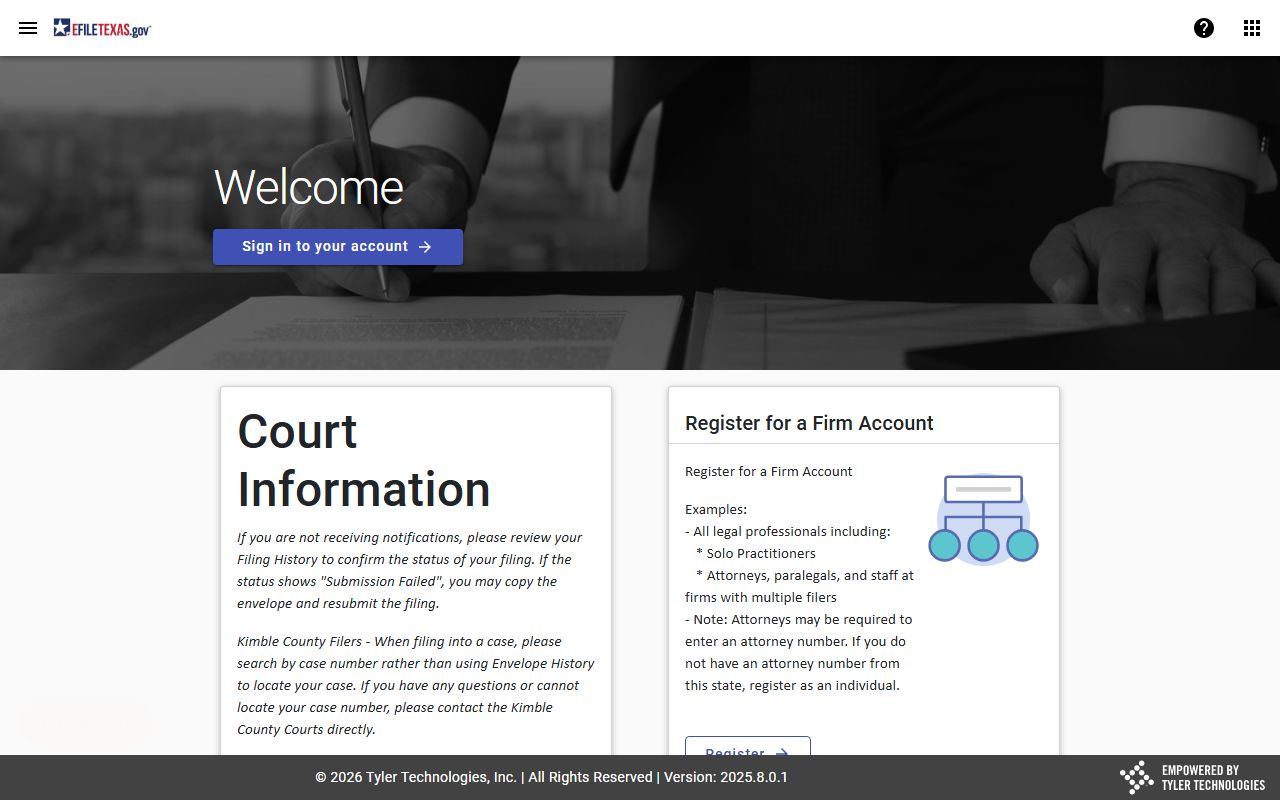
The public does not use eFileTexas for filing, but the system is what allows new docket entries to appear soon after attorneys submit their documents.
Public Access Law and Court Docket Records
Maverick County court docket records are public records under Texas law. The Texas Public Information Act, codified in Government Code Chapter 552, says government records are open unless a statutory exception applies. Court records follow additional rules under the Texas Rules of Civil Procedure, but public access remains the default for most filings.
To submit a formal open records request, write to the District Clerk's office. The office must respond within ten business days. The Texas Attorney General's office oversees public information compliance. Their website includes guidance documents, sample letters, and a hotline for questions about your rights.
The Attorney General's Open Records page explains the public's right to access government documents, including court docket records from the Maverick County District Clerk.

If you have trouble getting records that should be public, the AG's office can review the situation and issue a binding ruling.
Maverick County Court Structure
Maverick County has one district court that handles felony criminal cases, civil matters over $200, family law, and juvenile cases. The county court covers misdemeanors, probate, and small claims. This mirrors the standard Texas court structure, which is overseen by the Supreme Court for civil matters and the Court of Criminal Appeals for criminal cases.
The Office of Court Administration publishes annual data on filings and dispositions for every Texas county. Maverick County's border location means it sometimes sees case types connected to cross-border matters. Attorneys must use eFileTexas to submit filings. Self-represented litigants can file in person at the Eagle Pass courthouse.
Legal Help in Maverick County
Free legal resources are available for Maverick County residents dealing with court matters. The Texas State Law Library provides free online access to Texas statutes, court rules, and research tools. This helps anyone who needs to understand court procedures or find the right forms for their situation.
The State Bar of Texas offers a lawyer referral service covering South Texas. Texas RioGrande Legal Aid serves the border region and provides free civil legal help to qualifying low-income residents. The DPS Crime Records Service handles statewide criminal history information, and the Texas State Library and Archives Commission maintains historical court records from across the state.
Nearby Texas Counties
Maverick County sits along the Rio Grande and borders several South Texas counties. Each maintains its own court docket records through separate District Clerk offices. Cases with parties in multiple counties may appear in more than one system.